Find it! Cook it! Rate it! Recipes from the food you have, a meal plan and one shopping list

Home cooking, the easy way
Then £34.99 a year. Join and you're straight back in, with all your recipes. Nothing is charged unless you choose to join.
Recipe generator
What can I make tonight? Tell it what you’ve got.
“”
- Cheesy mashed potato pie · 55 min
- Cheese and potato pie · 60 min
- Egg and chips · 60 min
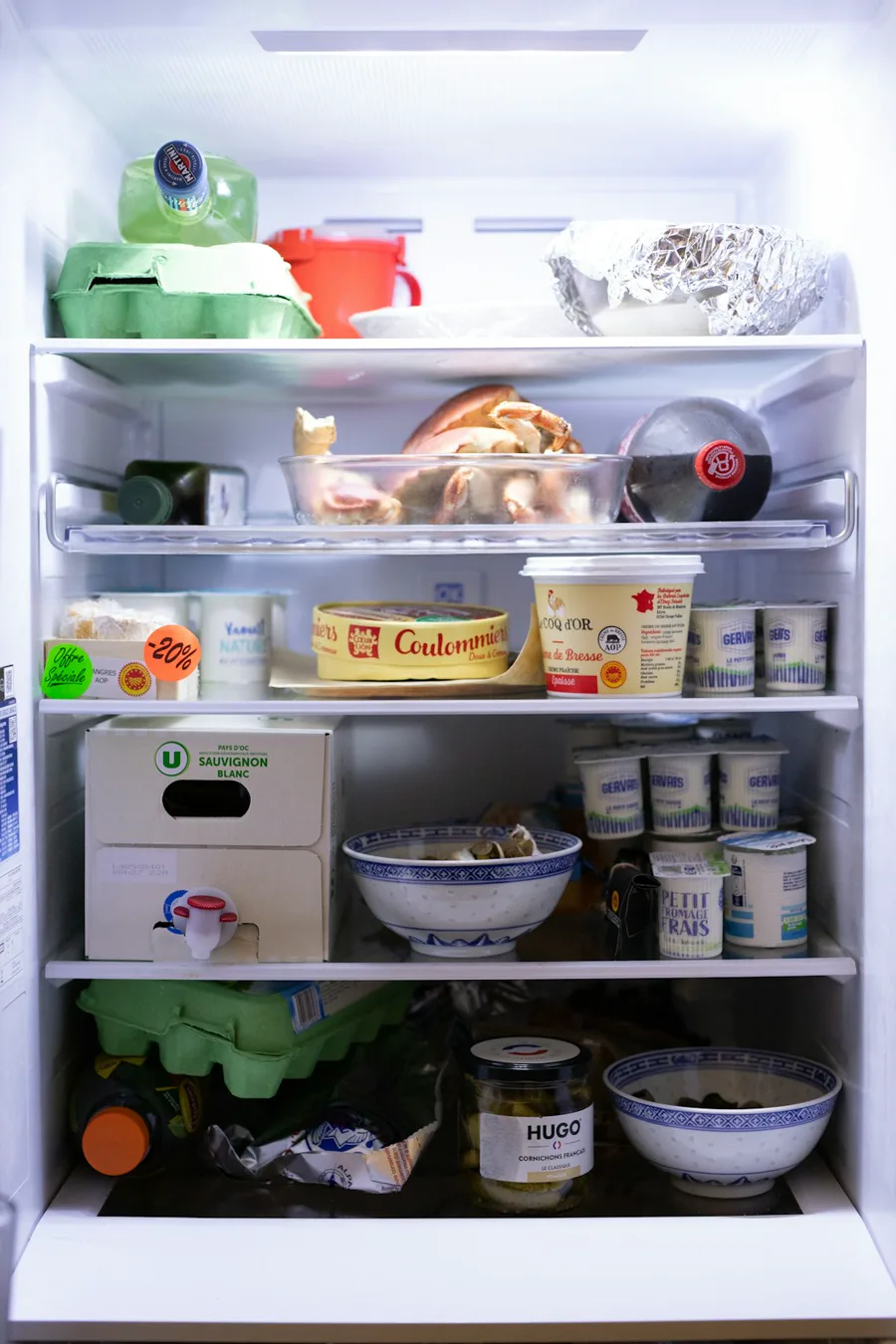
Type the foods or snap your fridge. Pick a time, a meal and your diets, and it keeps to them strictly.
From a photo
No time to type? Snap the fridge.
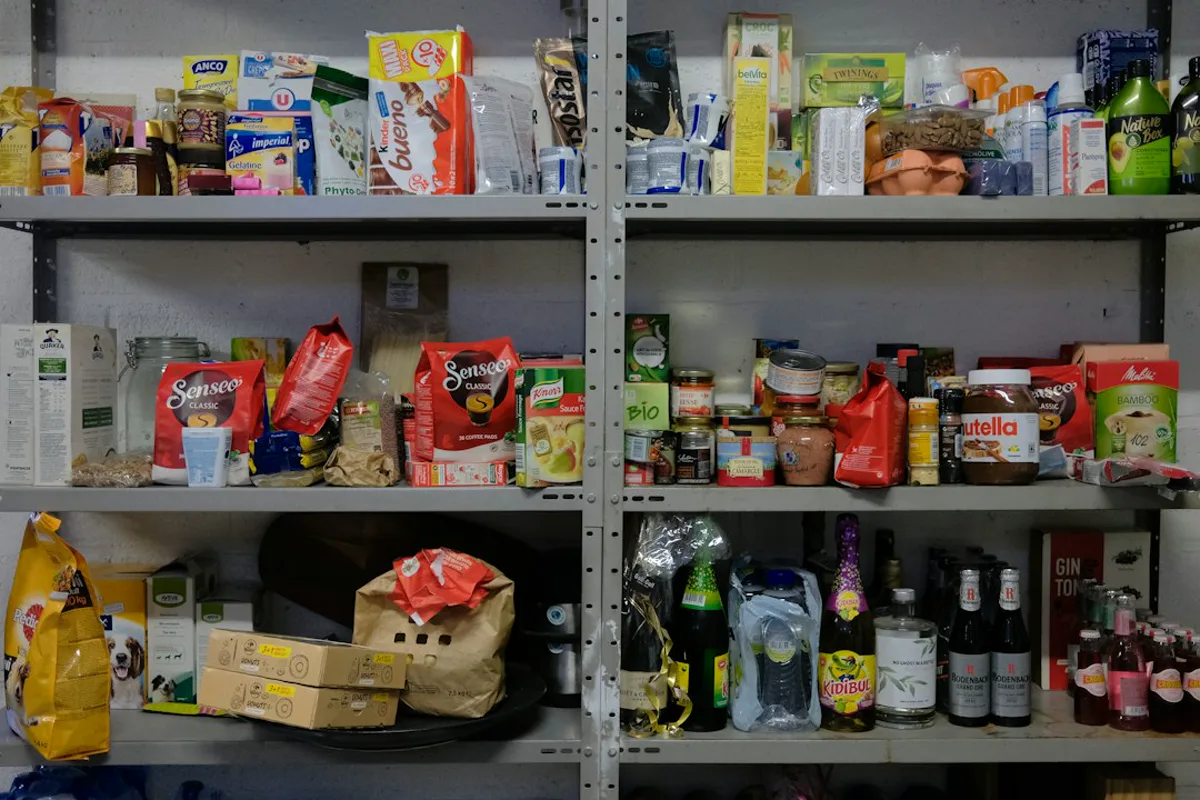
Take a photo of your fridge, freezer or cupboard. It lists the food it can see, you take off anything that’s wrong, then tap Find recipes.


Scaling, UK and US
Cooking for 4, not 2? One tap.
Change the servings and every amount changes with it. Grams and millilitres, or cups and pounds: your choice, on every recipe.


Rated by Jo’s cooks
Made it? Tell the next cook.
The recipes are made by AI, and each one says so until Jo’s cooks have rated it. Tap I made it, give it stars and leave a tip. Once 5 cooks rate a recipe well, it joins Top rated in the Library.


Import a recipe
Gran’s recipe card? Keep it here.
Paste a link, snap a cookbook page or a handwritten card, or paste the text. You check every word before it’s saved, then it scales and converts like any other recipe.


Meal plan and shopping list
The whole week, one list.
Put recipes on the days you’ll cook them and add the week to your shopping list.


And everything else
Everything a home cook needs.
- Recipe generatorRecipes from the food you have, typed or from a photo of your fridge, freezer or cupboard.
- Only what I haveOr let it add a few things to buy, if you’re going to the shops anyway.
- Diets kept strictlyVegetarian, vegan, gluten-free, dairy-free and nut-free.
- Time and meal20 minutes or an hour, breakfast, lunch or dinner.
- The LibraryClassic home dishes, breads of every kind and baking, from loaves and sourdough to cakes, biscuits and pastries. By meal, diet and time, with Breads, Baking & sweet, Top rated and Quick.
- I made itStars, would you make it again, and a tip for the next cook.
- Import a recipeFrom a web link, a photo of a page or card, or pasted text.
- Check before savingEvery imported recipe shows on screen first, so nothing gets lost.
- Write your ownFamily favourites, typed in once and kept.
- ScalingAny number of servings, every amount worked out for you.
- UK or US measuresGrams and millilitres, or cups and pounds.
- Cook modeBig steps, the screen stays on, and it remembers where you were.
- Meal planThis week and next, a recipe or “eating out” on each day.
- Shopping listGrouped by aisle. It keeps what the recipe says and only joins real duplicates.
- Dinner remindersA nudge on the days your plan has a dinner.
- Favourites and notesMark the ones you love; notes only you can see.
- NutritionCalories, protein, carbs and fat per serving, as an estimate.
- Backed upYour recipes follow you to any phone or computer.
- Export my dataTake a copy of everything, any time.
- Help when you need itAnswers in the app, and a message to us if you’re stuck.
- Light or darkYour choice, in Settings.
- Install in secondsAdd it to your home screen. No app store needed.
Questions
Where do the recipes come from?
The Recipe generator’s recipes are made by AI, from the food you have, and saved so other cooks can get them too. Until Jo’s cooks have rated a recipe it says “New recipe made by AI. Not yet rated by Jo’s cooks”, so check it’s cooked through and use your own judgement. The Library also has classic dishes, breads and baking written by AI, labelled the same way. A recipe joins Top rated once 5 cooks have rated it at least 4 stars on average and 4 in 5 of them would make it again. Recipes you import or write yourself never go into the Library.
How do I install it?
Open the app on your phone or computer and add it to your home screen. It sits there as an icon and opens like any other app, and it works best that way. No app store, nothing to pay to install.
iPhone: tap Share, then Add to Home Screen (on newer iPhones tap ⋯ first to see Share).
Android: tap ⋮, then Install app.
Windows or Mac (Chrome or Edge): click the install icon at the right of the address bar.
Mac (Safari): File, then Add to Dock.
Trouble installing? See Help.
What happens after the 14 days?
When your 14 days are up and you open the app, it asks you to join for £34.99 a year. Join and you’re straight back in, with all your recipes. Until you join, the recipe tools are locked, but your recipes stay saved, and Settings and Export my data still work. No card is needed for the trial, so nothing is charged unless you choose to join. One plan has everything in it, with no extras to buy, and you can cancel any time in Settings.
Is it for the UK or the US?
Both. One switch in Settings sets measures and words: grams and millilitres, or cups and pounds. Every recipe can be shown either way, and the servings scale with it.
Will it keep to my diet?
Vegetarian, vegan, gluten-free, dairy-free and nut-free are checked strictly, so it would rather leave a recipe out than risk it. It isn't an allergy service: if you have an allergy, always read the ingredients yourself.
Is my data sold or used for ads?
No. There are no ads, and we don't sell your data. Your recipes, plan and shopping list are backed up to your account so they're there on every device.
Is it the same account as Jo's other apps?
No. Jo's food recipes has its own account, so you sign up for it on its own.
What if I get stuck?
Tap the question mark at the top of Home. The answers to common questions are there, and you can send us a message from the same screen. Can\'t get in? See Help.
Your next 14 days, on us.
Find it, cook it, rate it. Dinner sorted from what’s already in the fridge.
Get the app · 14 days free14 days free, full access, no card needed.
Then £34.99 a year.
Also from Jo
Counting calories? Jo's calorie counter checks your weight trend every week and adjusts your daily target.
See calorie counter
Sick plant? Jo's Plant Doctor names it and checks its health from one photo.
See Plant Doctor